Timeline Events and Time Queries
June 4, 2026
Track important moments in story time and surface the calculations that matter in each scene.
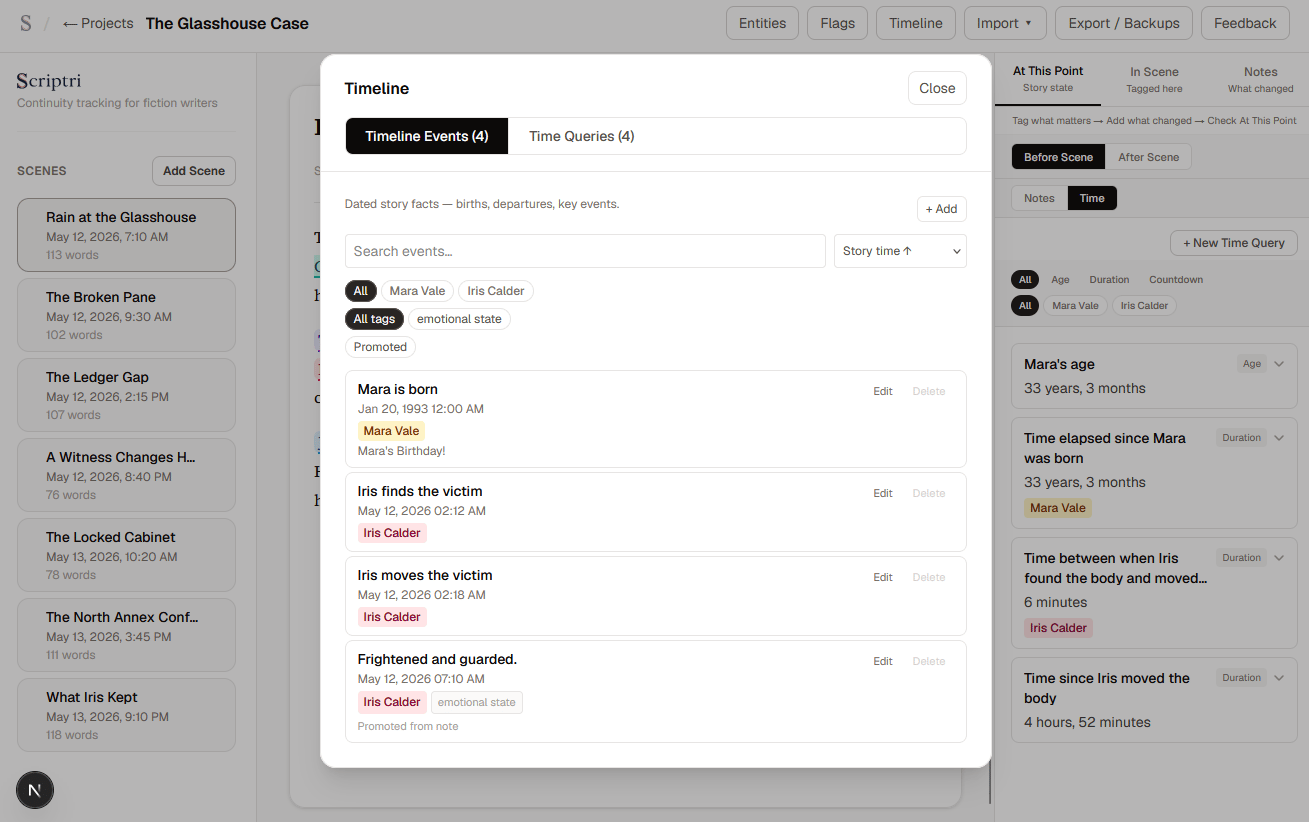
Story time tracking is one of the harder continuity problems in long-form fiction. Writers need to answer questions like "how old is this character here?" or "how long has it been since that event?" constantly. And the answer changes with every scene.
Scriptri now has a Timeline workspace built around two concepts: Timeline Events and Time Queries.
What's new
Timeline Events
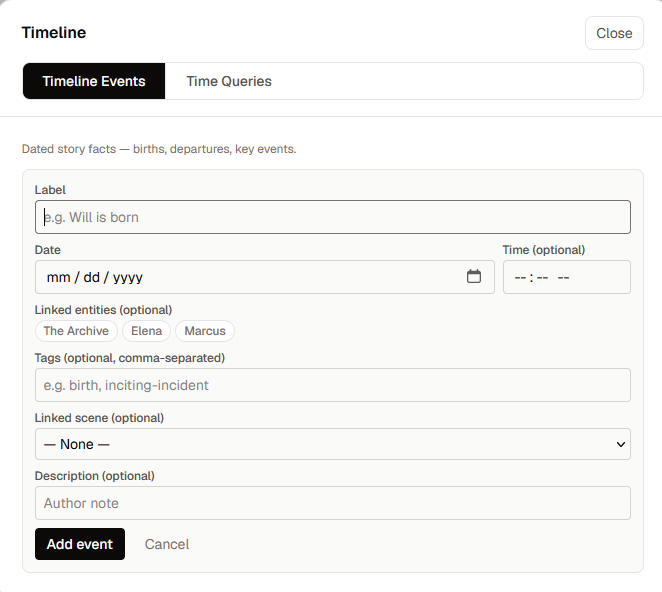
A Timeline Event is an important moment in story time: a birth, a murder, a departure, a discovery. You can attach events to specific entities and scenes, add tags and a description, and use them as reference points for time calculations.
Time Queries
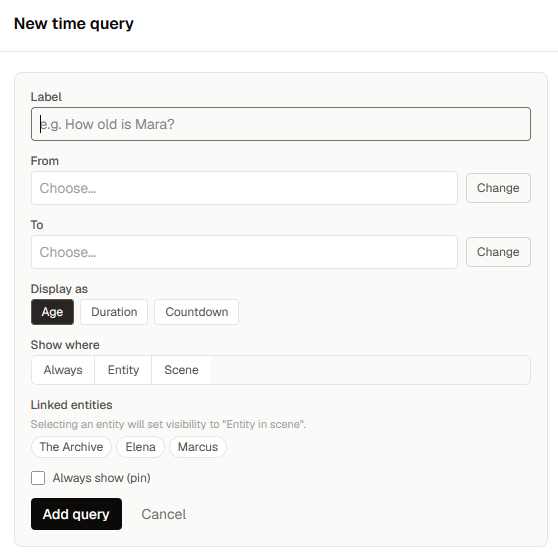
A Time Query is a question Scriptri can answer for you using those events. How old is the character when this scene takes place? How many days have passed since the victim was last seen?
Each query references two points in time; A Timeline Event, a scene's date, or the current scene, and Scriptri calculates the distance between them. You choose how to display the result: as a duration, an age, or a countdown.
Visibility: queries only where they matter
Most queries aren't relevant in most scenes. Scriptri has a visibility system so each query can decide when to surface:
- Always — show in every scene
- When a linked entity is in the scene — appear only in scenes featuring the relevant character or place
- Selected scenes only — pinpoint exactly where a query matters
You can also pin a query to force it visible everywhere, regardless of the visibility setting.
At This Point: Time tab
The At This Point panel — the right-side context view in the project editor — now has a Time sub-tab. While working in a scene, the Time tab shows which queries are active for that scene, calculated against its date.
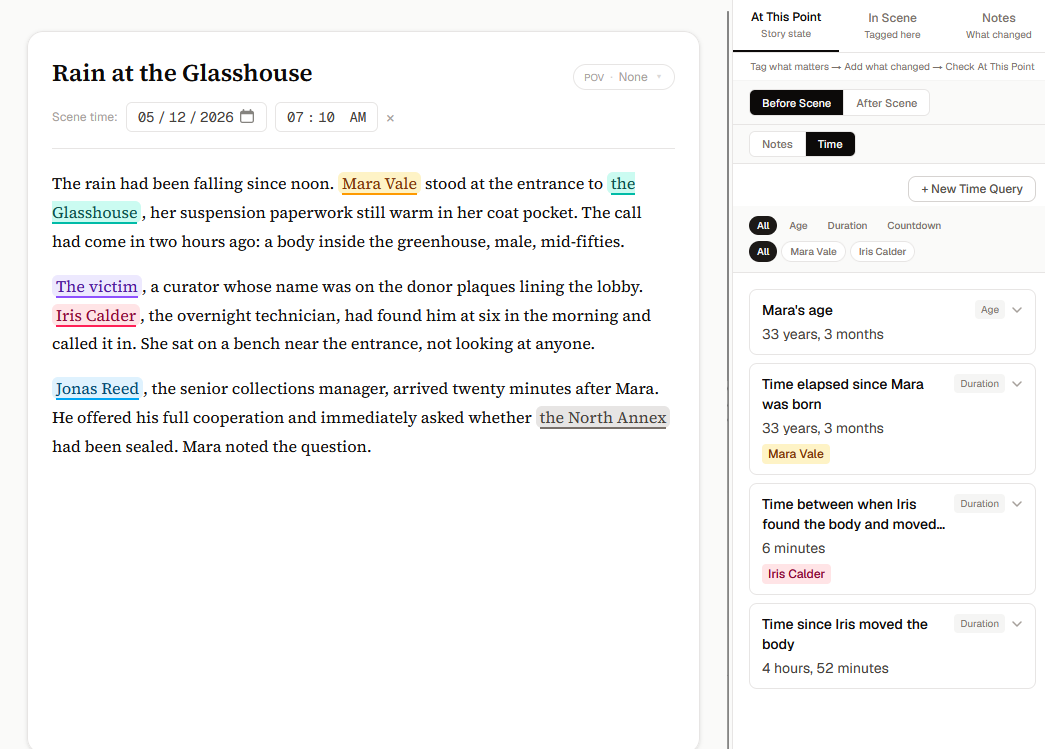
You can create a new Time Query directly from this tab without leaving the scene.
Note promotion to Timeline Events
If you've been using notes to track important story moments, you can promote a note directly into a Timeline Event. The note's content pre-fills the event label. The event retains a link back to its source note, and shows a "Promoted from note" label so you can see where it came from.
Entity-level timeline management
Timeline Events can be created, edited, and deleted from within an entity's dialog. Open an entity, switch to the Timeline tab, and manage all events linked to that character or place without leaving the entity view.
Why it matters
Writers working on mysteries, serial fiction, long-running series, pregnancy timelines, multi-book continuity, or investigation plots constantly need to know "how long ago" or "how old" in a specific scene — and the answer changes as scenes are reordered or dates are revised.
Without tooling, this usually means spreadsheets, mental math, or interrupting drafting flow to check. Scriptri handles the arithmetic and surfaces the answers where you actually need them: beside the scene you're working in.
How it works, briefly
- Create Timeline Events for the moments that matter: character births, deaths, key plot points, discoveries
- Create Time Queries that reference those events: age of [character] at current scene, time elapsed since [event]
- Set visibility so each query appears only in the scenes where it's relevant
- Open At This Point → Time while working in a scene to see the answers in context
Also included
- Better empty states in the Events and Queries panels
- "Current scene" reference is disabled when a scene has no date, preventing invalid queries
- Timeline Event and Query components share a consistent card and form layout
- "New Time Query" button accessible directly from the Time sub-tab in At This Point
A note on analytics
This release also includes a change worth being transparent about: Scriptri is adding more product analytics events powered by PostHog.
The goal is to understand which parts of the app are actually being used, where writers get stuck, and what features are worth investing in. The analytics help answer questions like: are people using Timeline Events? Is At This Point being opened?
What Scriptri does not send:
- Manuscript text
- Note content
- Entity names
- Scene titles
- Tag text
- Search queries
- Any user-authored prose
What Scriptri does send:
- Which app surfaces were opened (the Timeline workspace, At This Point, entity dialogs)
- Action types (created a timeline event, created a time query) — not what was in them
- Boolean flags (was an entity linked? was it promoted from a note?) and controlled categories (query visibility type)
- Bucketed counts where applicable — never raw content
Privacy configuration in place:
- Session recording is disabled
- Autocapture is disabled — only events explicitly defined in code can fire
- No persistent identifiers — analytics data lives in memory only, not cookies or localStorage
- URL paths and referrers are stripped before any event is sent
Scriptri is a local-first tool. Your writing stays on your machine. The new analytics are meant to answer product questions, not to inspect what you're writing.
What's next
A few directions we're exploring:
- At This Point: Location — tracking where characters and objects are in a scene
- Richer entity views and entity workspace improvements
- Continued timeline and time query polish
- Better project-wide overview surfaces