Scriptri 0.7 brings Lore Pages, Story Topics and Investigations together into one workspace, makes tagging and linking entities work the same way in more places, and adds Spanish for the Write workspace and the All Projects page.
The Story Topics change is the large one, and it touches data you may already have, so this update explains what happens to existing projects and what to do if something looks wrong. The other changes are smaller and mostly make existing tools easier to reach and more predictable.
One workspace for Lore Pages, Story Topics and Investigations
Before 0.7, a Lore Page, a Story Topic and an Investigation were three different things with three different editors. Each was a way of gathering related material around a subject, and the differences between them were mostly historical.
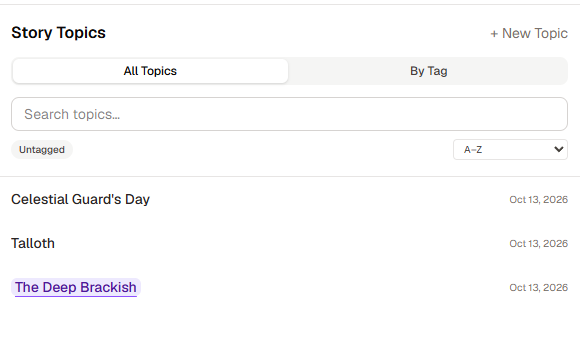
In 0.7 they are one thing, called a Topic, and the workspace is called Story Topics. A Topic is a document you write in one editor. It is useful with nothing attached: you can write a page of worldbuilding, a theory about a plot thread, or a question you are trying to answer, and leave it at that.
When you want it, a Topic can also hold connected material: entities, state notes, scenes, timeline and location records, and tracked manuscript passages. Connected material is listed in a Materials drawer, grouped, with a marker showing what you have already placed in the document. You can place an item in the document as a block that keeps a live reference to the source record, so the block shows the record as it stands now instead of a copy that goes stale.
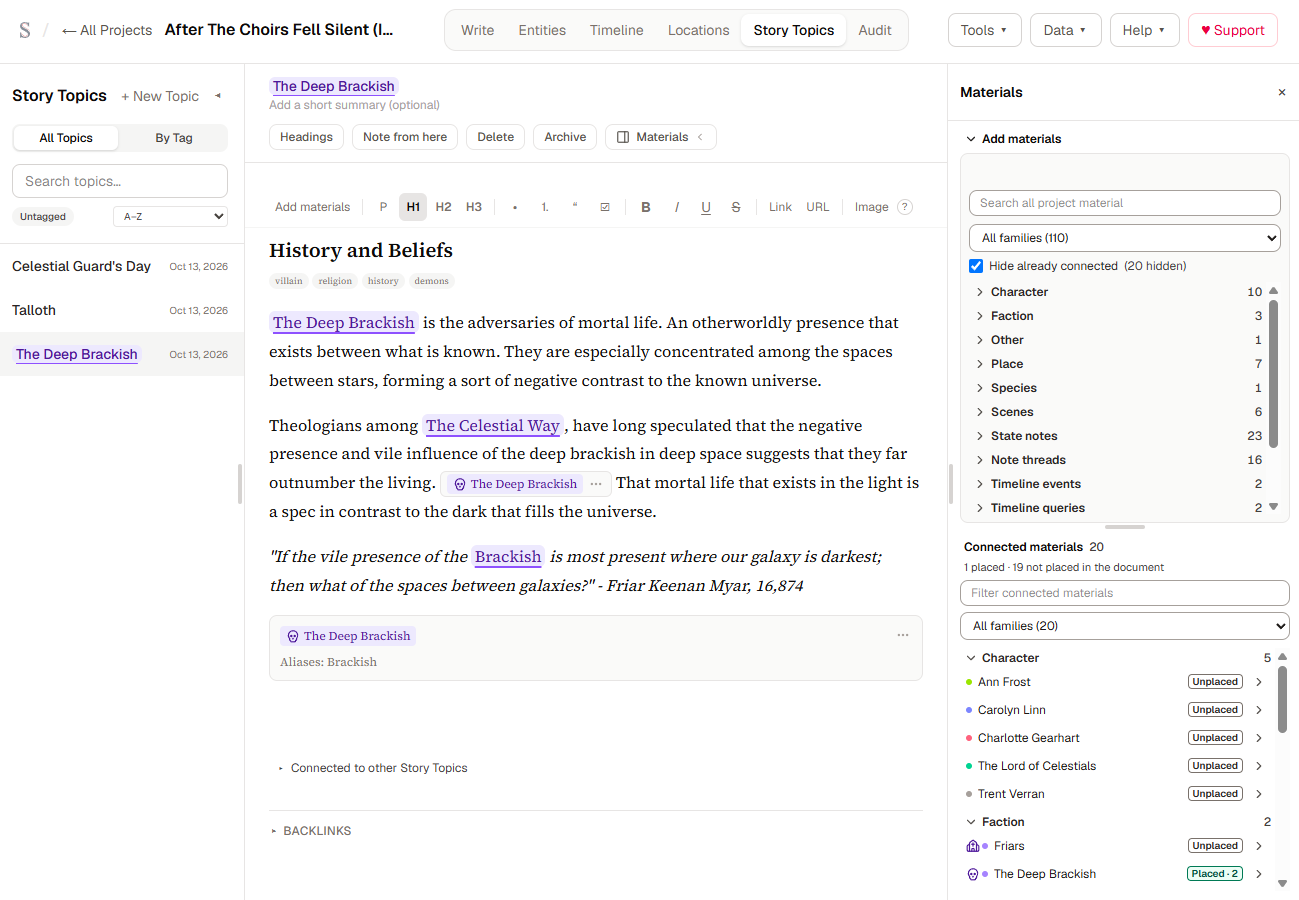
What you can do with Topics in this release:
- Browse every Topic in a full-width library with search, filtering and sorting.
- Write an optional summary for a Topic, or leave it blank.
- Connect something to a Topic from where you find it, such as an entity or a note, without opening the Topic first.
- Change the source of a placement, or repair a placement whose source record was removed.
- Choose how much of a source a placement shows: a heading, a section or an excerpt.
- Find a Topic through material it is connected to, in Quick Reference and in the library. When a search hits its limit, the result says it shows at least that many matches instead of implying the list is complete.
- See a "Placed in" list of the Topics that use a given record.
- Open a References view on an entity to see where it is used.
Deleting an entity now shows what the deletion will remove and saves a safety backup of the project first. Local Backups hold those copies, and the dialog does not promise that an older backup contains the entity. If your browser has no room for another backup, the dialog says so and offers a separate, deliberate choice to delete without one.
What happens to your existing projects
Lore Pages you already have now appear in Story Topics as Topics.
Investigations are converted automatically. The first time you open a project in 0.7, each Investigation in it becomes a Topic with the same title, question, evidence and conclusion. You see a short notice, once per project, only where something was converted. The original Investigations are kept as they were. Scriptri does not delete them.
Before converting, Scriptri saves a Local Backup of the project. It appears in the Backups tab under Data with the label "Before Investigations were converted". Local Backups are stored in this browser. They are not copies on a server, so they do not replace exporting your project to a file.
If a conversion does not finish cleanly
A conversion that fails leaves the project usable and leaves your originals alone. When anything needs your attention, a report stays available in the Story Topics library until every item is resolved. Depending on the item, it offers these actions:
- Try again runs the conversion again for the project.
- Check again compares a Topic with its original again. It changes nothing.
- Read the original shows the stored Investigation, read only.
- Keep this Topic accepts a Topic as it stands.
- Convert from the original writes a new Topic from the stored original. It never overwrites an existing Topic.
- Export project saves the whole project to a file, originals included.
If you delete a Topic that was made from an Investigation, the original is still there.
Before you open a project in 0.7
- If you want a copy first, export the project from Data before you open it. The export file is yours and is independent of this browser.
- If you had Scriptri open in a tab before the update, reload that tab before you use it. A tab that has been open since before the update is running older code.
- Do not clear your browser's site data to fix a problem. That would remove the projects stored in this browser. If something looks wrong, use the report and the Local Backups above first.
- Once a project has been opened in 0.7, your browser's Scriptri data is in a newer format. The 0.6.1 build is the older version that checks for this. It stops with a message and leaves the data untouched, and it does not accept a project export file made by 0.7. Earlier 0.6 builds, including a tab still open from before 0.6.1, do not check, so do not open 0.7 data in them. Scriptri does not support going back to an older version once your projects have been opened in 0.7, so plan to keep using 0.7.
Tagging and linking, made consistent
Choosing an entity used to work a little differently in each place that asked for one. 0.7 moves those places onto one shared selector, so searching, picking, creating and telling similar names apart behave the same way in the manuscript tools, summaries, the synopsis, Lore titles, scene point of view and the Link picker. The @ menu stays separate, because it has to keep focus in your text.
A quick-alias workflow lets you add an alias to an entity from the places where you tag it, and the alias is saved with the entity.
Actions on an entity chip are now arranged the same way everywhere: reference, navigation, retag and removal. When you start a workflow from selected text, such as linking to an entity or tracking a passage, the panel shows the passage and the title of its scene, and the passage is highlighted in the manuscript while the panel is open.
Quick Reference is now a floating panel
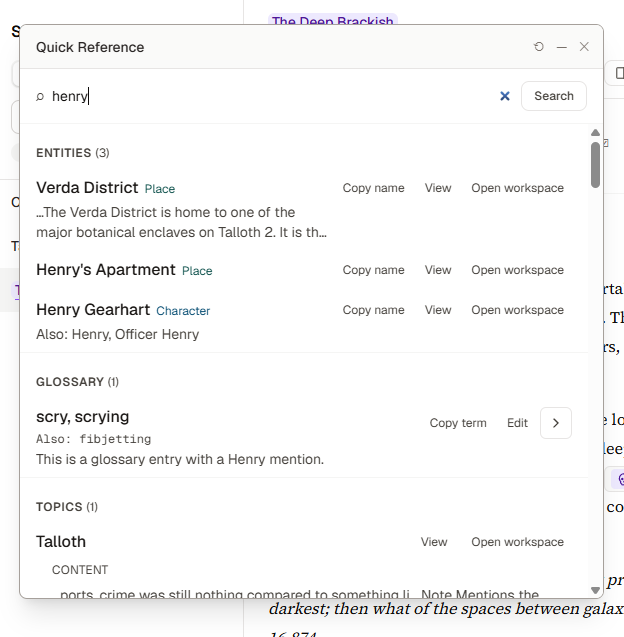
Quick Reference no longer blocks the screen. On a wide window it is a panel you can move, resize and minimize, and it stays open while you work in the manuscript or the Reference Viewer. Search, expanded results and the shortcut work as before, and your search is remembered while you stay in the project. The panel's position and size are remembered in your browser. On a narrow screen it opens as a full-screen sheet instead.
Toolbars at narrow widths
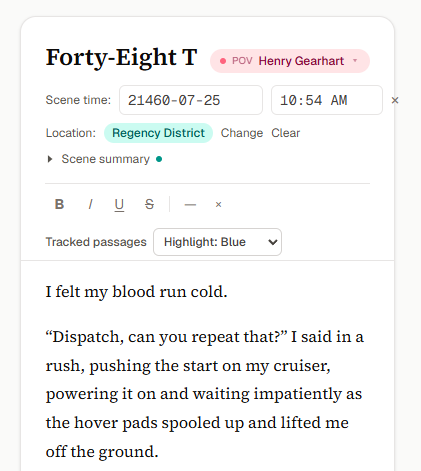
When the Write workspace is thin, for example beside another window, the formatting row now wraps onto extra lines instead of running past the edge of the editor. The toolbars in Story Topics and in Entity profiles wrap one group of controls at a time.
Spanish for Write and All Projects
Scriptri can now show the Write workspace and the All Projects page in Spanish, along with the project header and menus you use to get around. Choose Language / Idioma from the Data menu on All Projects, or from the Help menu inside a project.
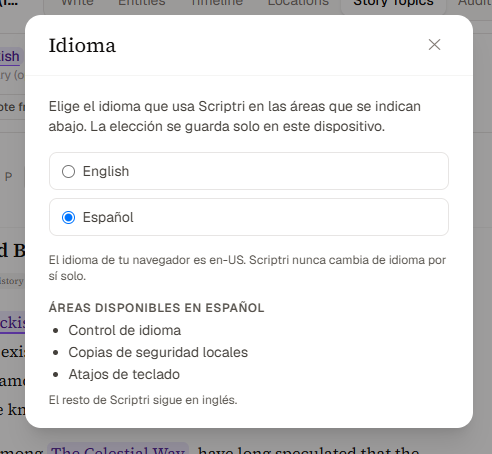
The Language dialog lists the six areas available in Spanish: All Projects, the project header and navigation, the Write workspace, Local Backups, Keyboard Shortcuts and the language control. The picture above shows the shorter list from an earlier build. Write includes the scene list, the editor and its toolbars, scene summaries, point of view and location, the context sidebar with At This Point, In-Scene and Notes, the floating tools you open from Write, and the dialogs and messages along the way. The How Scriptri works guide in the Help dialog, the Notebook help, the built-in continuity checklist questions (including the printed copy) and most of the reasons Scriptri gives when it rejects an import file are in Spanish too. The learning pages on the website and the public checklist tool stay in English.
The Entities, Timeline, Locations and Story Topics workspaces, the Source Sync review screen and some small card labels are still in English, so this is not a Spanish version of the whole of Scriptri. The translation has not had a review by a native speaker, so if a phrase reads wrong, the feedback form on the home page is the best way to tell me.
Your own writing is never translated. Scriptri changes the interface language and nothing you wrote, so scene titles, names, notes, tags and the dates of your story calendar appear exactly as you entered them.
More Spanish is planned. Each release is committed to completing at least one more area.
What has not changed
- Scriptri is local-first. Your project stays in your browser unless you export it or sync it through a supported workflow.
- There are no accounts.
- Scriptri is free to use today, and there will continue to be a useful free, local-first version that does not require an account.
- Scrivener sync is read-only from Scrivener into Scriptri.
- Everything in a Topic is written and chosen by you. Scriptri does not generate prose or infer facts from your manuscript.
Known limitations
- A tab does not see a change made in another tab until it reloads or runs its search again. Work on a project in one tab at a time.
- A mark in a Topic whose target was deleted stays in the text and does nothing.
- Search over connected material has fixed work limits, so a very large project can return a partial result. The result says when it is partial.
- Development testing of this release was done in Chrome. Firefox was checked by hand before release and worked. Safari was not checked.
- The older Investigation storage is kept in this release. Removing it is separate work that has not been approved, and it will not happen in this release.
What comes next
Work is planned for the next release in two areas. One is a rework of how the Timeline and Locations views present events across a project, around a single entity, or within a Topic. The other is completing one more area in Spanish, chosen when that release is planned. Neither has a date, and priorities keep following real manuscripts and the feedback of the writers who use Scriptri. If something in 0.7 gets in your way, the feedback form on the home page is the fastest way to tell me.